

The library not only offers a wide selection of print and digital resources, but also provides space for studying. In addition to a large number of workspaces available for free use in the lower reading room, the upper reading room features individual workstations that can be reserved, as well as group rooms (for TU members only) for 4–6 people, located throughout the library.
You can make a reservation from the comfort of your home up to one week in advance. Simply visit our homepage and click on “Reservations“. And this is how it works:
- Log in with the number of your library card and your password.
- Select the date.
- You can switch between group rooms and workplaces via the drop-down menu.
- Select the desired room or space and the time from the overview.
- If necessary, adjust the period for your reservation.

Don’t forget to bring your library card on the respective day. You will need it to confirm your reservation via the scanner in the entrance area. This is possible at the earliest 30 minutes before the scheduled time. If you do not check-in, your booking will expire 30 minutes after the start of the reservation.
If you no longer need your reservation, you can easily delete it under “My reservations & cancellation”. Here you will also find an overview of all your booked workspaces.
Tipps for new students
- Moin Erstis 2026!
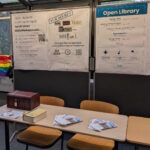
- New to the library? – Library Card

- New to the libray? – Open library

- New to the Library? – Loans

- New to the library? – Textbook Collection

- New to the library? – Library Catalogue

- New to the library? – Escape Game

- New to the library? – E-books and their use
- New to the library? – Reservation of workspaces
