In our „Database of the Month“ series, we regularly present research tools that support your academic work. This article focuses on PubMed.
Contents
- PubMed at a glance
- What is PubMed?
- What makes PubMed unique?
- Quick start: PubMed as a search engine
- Systematic research with Medical Subject Headings (MeSH)
- Practical tips
- Conclusion
PubMed at a glance
- What: Free bibliographic database for life sciences publications
- Scope: 40+ million records, including over 10 million full-text articles via PubMed Central.
- Access: Free of charge, no registration required
- Operator: National Center for Biotechnology Information (NCBI)
- Start: https://pubmed.ncbi.nlm.nih.gov
What is PubMed?
PubMed is a free search engine for scholarly literature in the life sciences, behavioral sciences, and chemistry. While its primary focus is on biomedicine, PubMed also indexes a vast amount of literature from engineering fields such as biotechnology and medical technology.
PubMed searches across three databases:
- MEDLINE: The largest component by far, featuring references to articles from a curated selection of journals
- PubMed Central (PMC): A full-text archive of articles and preprints, primarily from research projects funded by the National Institutes of Health (NIH).
- NCBI Bookshelf: Provides free access to selected book chapters.
What makes PubMed unique?
MEDLINE only includes journals that meet NCBI’s standards regarding relevance, scientific quality, technical availability, and publisher integrity. Journals in all languages are considered, provided they include English titles and abstracts for every article. For multidisciplinary journals like Nature or Science, only articles related to the life sciences are indexed.
This focus on quality assurance and relevance may help researchers find key literature more efficiently.
Articles indexed in MEDLINE are assigned a specific “publication type” and categorized using terms from the Medical Subject Headings (MeSH) thesaurus. This allows users to filter specifically for systematic reviews or clinical trials, for example. By using MeSH, you can find publications on a specific topic even if different authors use different terminology. Furthermore, PubMed systematically tracks post-publication corrections, conflict-of-interest statements, and pharmacological actions. It also frequently links to supplementary data sources, such as sequence data.
To enable high precision search, PubMed also offers advanced search. It allows for targeted queries in specific fields (e.g., Journal, Last Author Name, MeSH Terms, Pharmacological Action, Publication Type) and supports advanced strategies like proximity search. These options can be combined to create complex, reproducible queries.
Due to its consistently high data quality and reproducibility, PubMed is particularly well-suited for conducting structured literature reviews.
Quick start: PubMed as a search engine
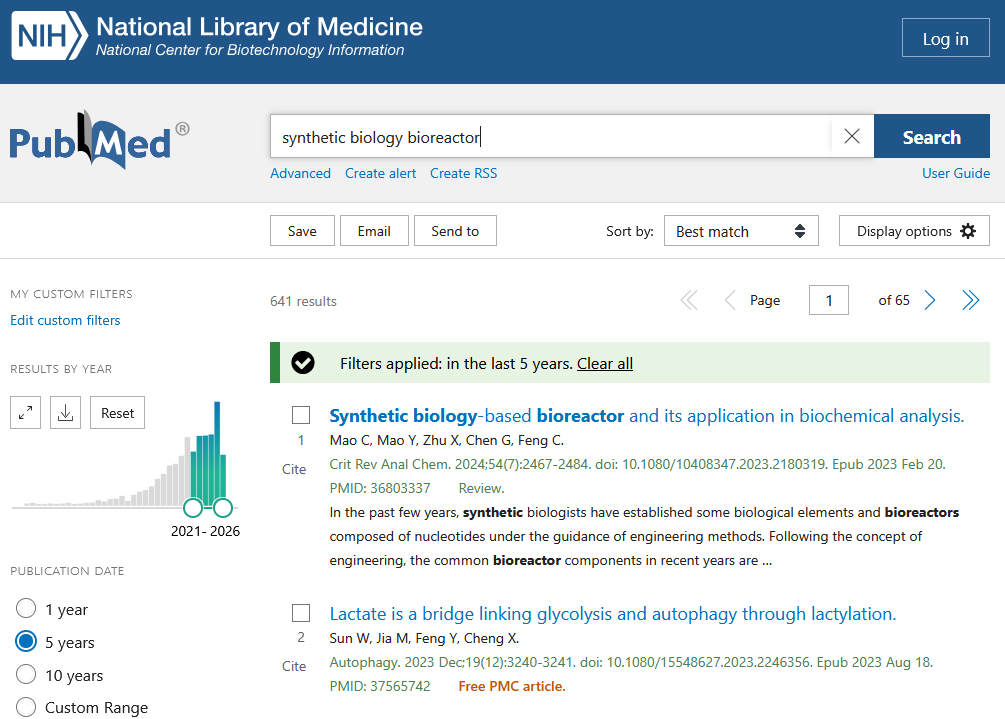
Simply enter a search term at https://pubmed.ncbi.nlm.nih.gov/, such as “synthetic biology bioreactor.” Suggestions for relevant terms will appear as you type. You can then easily refine your results using the filter sidebar on the left.
Systematic research with Medical Subject Headings (MeSH)
Scientific language strives for clarity, yet the same topic is often discussed using different terms. This can affect your search results. To avoid having to search for every possible word combination, you can use PubMed’s Medical Subject Headings.
In the following example, we are looking for literature on artifacts in 3D imaging:
- Find the MeSH term: Search for your topic in the MeSH Browser.
For example, a search for “medical imaging” reveals that the standardized descriptor is “diagnostic imaging.” - Select the descriptor: Choose the most appropriate term. Check for related terms (under “see also”) or broader/narrower terms in the “MeSH tree structure” (click the “+” to expand levels).
In our case, we choose “imaging, three-dimensional.” - Use Advanced Search: On PubMed’s Adavanced Search Page select “MeSH Terms” from the dropdown menu and enter your term. Use “Show Index” to select the correct entry and click “ADD” to add it to the Query Builder.
We can see that over 100,000 articles are indexed under “imaging, three-dimensional.” - Repeat for other terms and them to your query by clicking “AND” (or selecting a different Boolean operater).
In our example, search for “artifact” in MeSH and find that the correct descriptor is “artifacts.” - Run the search: Click “Search.” The results can be refined using filters just like a basic search.
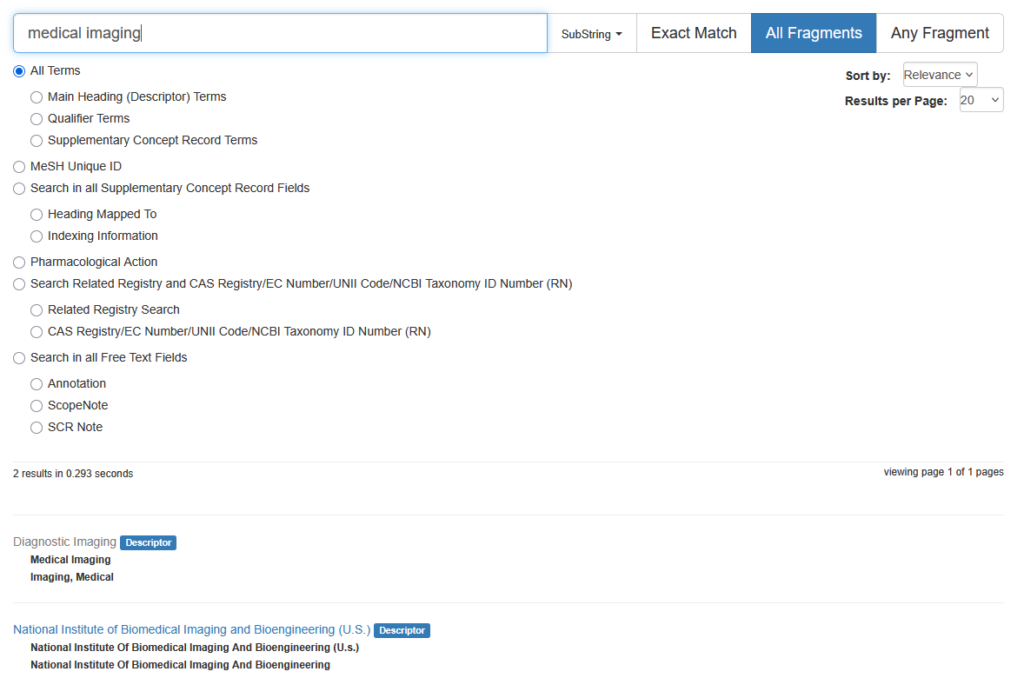
Step 1: Searching for MeSH terms. Image not under a free license. 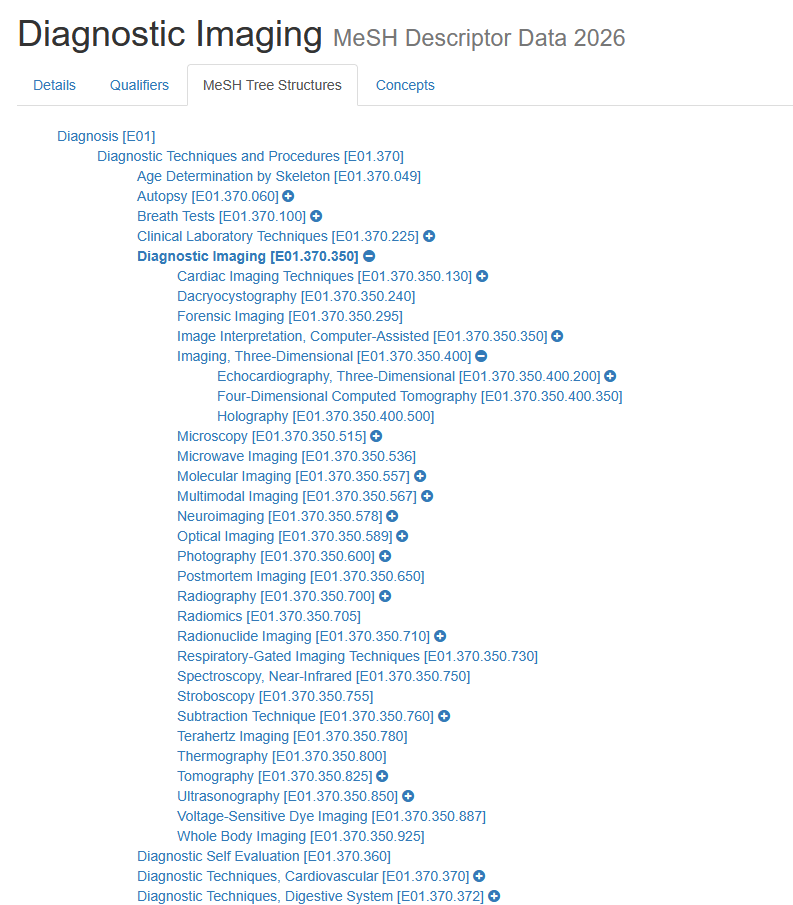
Step 2: Browsing MeSH tree structures. Image not under a free license. 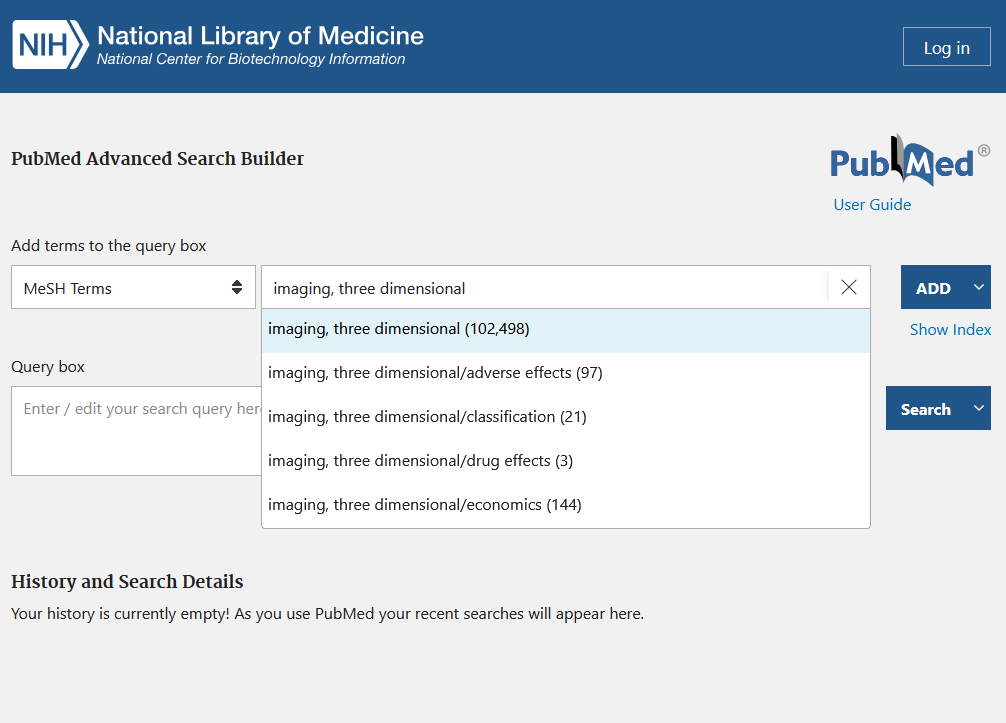
Step 3: Selecting terms from the controlled vocabulary using “Show Index.” Image not under a free license. 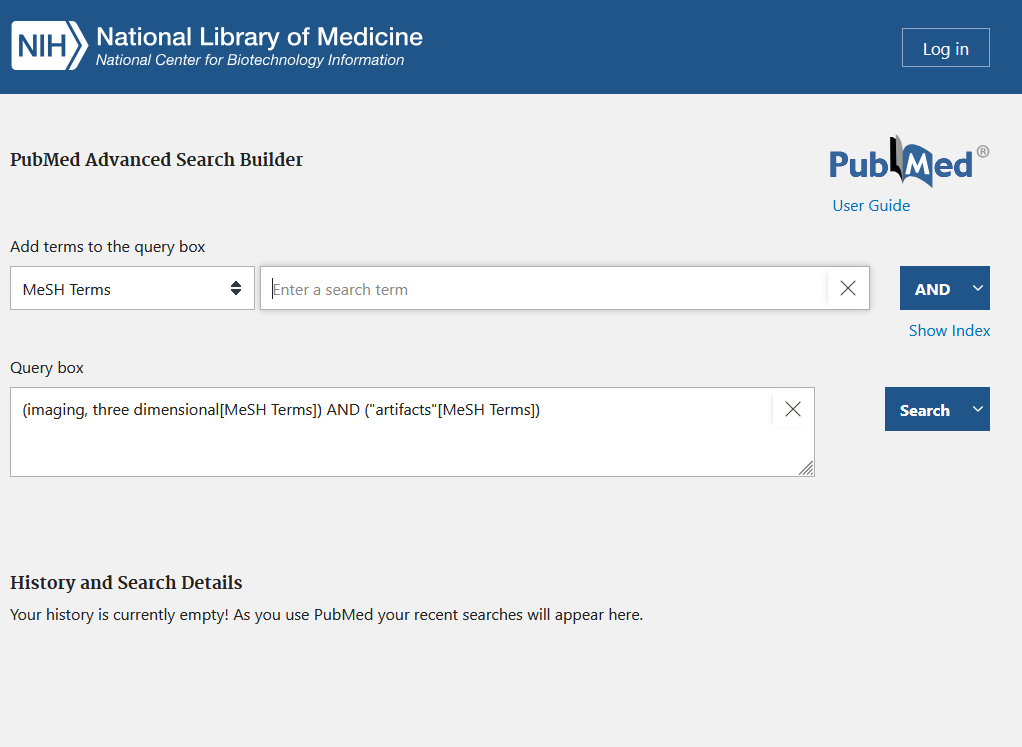
Step 4: Combining terms to create a complex query in the Query Box. Image not under a free license. 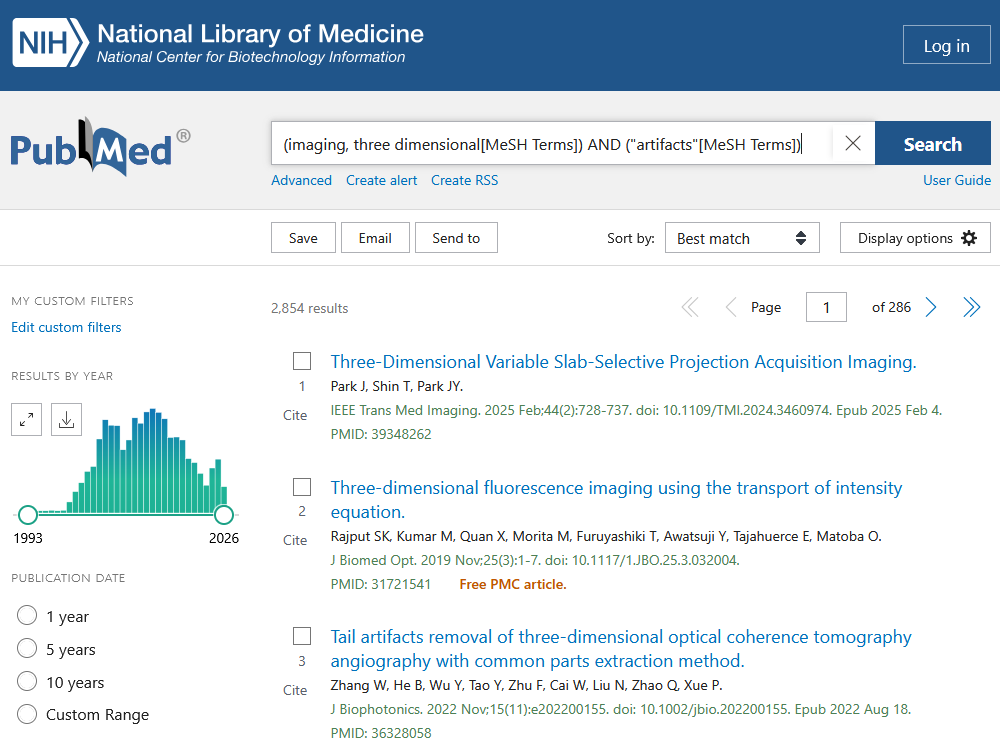
Step 5: Search results for an advanced PubMed search. Image not under a free license.
Practical tips
The MeSH search shown here is just one example of the complex, reproducible research possible with PubMed. For developing advanced search strategies, the extensive PubMed Help is an invaluable resource.
You can also save your search strategies by creating a free NCBI account. You can use your ORCiD for authentication.
Conclusion
PubMed provides access to curated literature, limited to quality-assured scientific sources in the life sciences. For issues peripheral to the life sciences or interdisciplinary topics, PubMed may only index a portion of the relevant journals.
Consequently, PubMed contains fewer records than “unfiltered” search engines like OpenAlex or Google Scholar. Multidisciplinary databases such as Scopus or Web of Science fall somewhere in between.
In return, PubMed offers precision. While most search engines only look for the specific words you type, PubMed’s MeSH descriptors automatically link related concepts, ensuring you find articles on the same topic regardless of the terminology used. Furthermore, PubMed offers advanced query options and reproducible search results.